Shed: Import receipts from delivery dockets
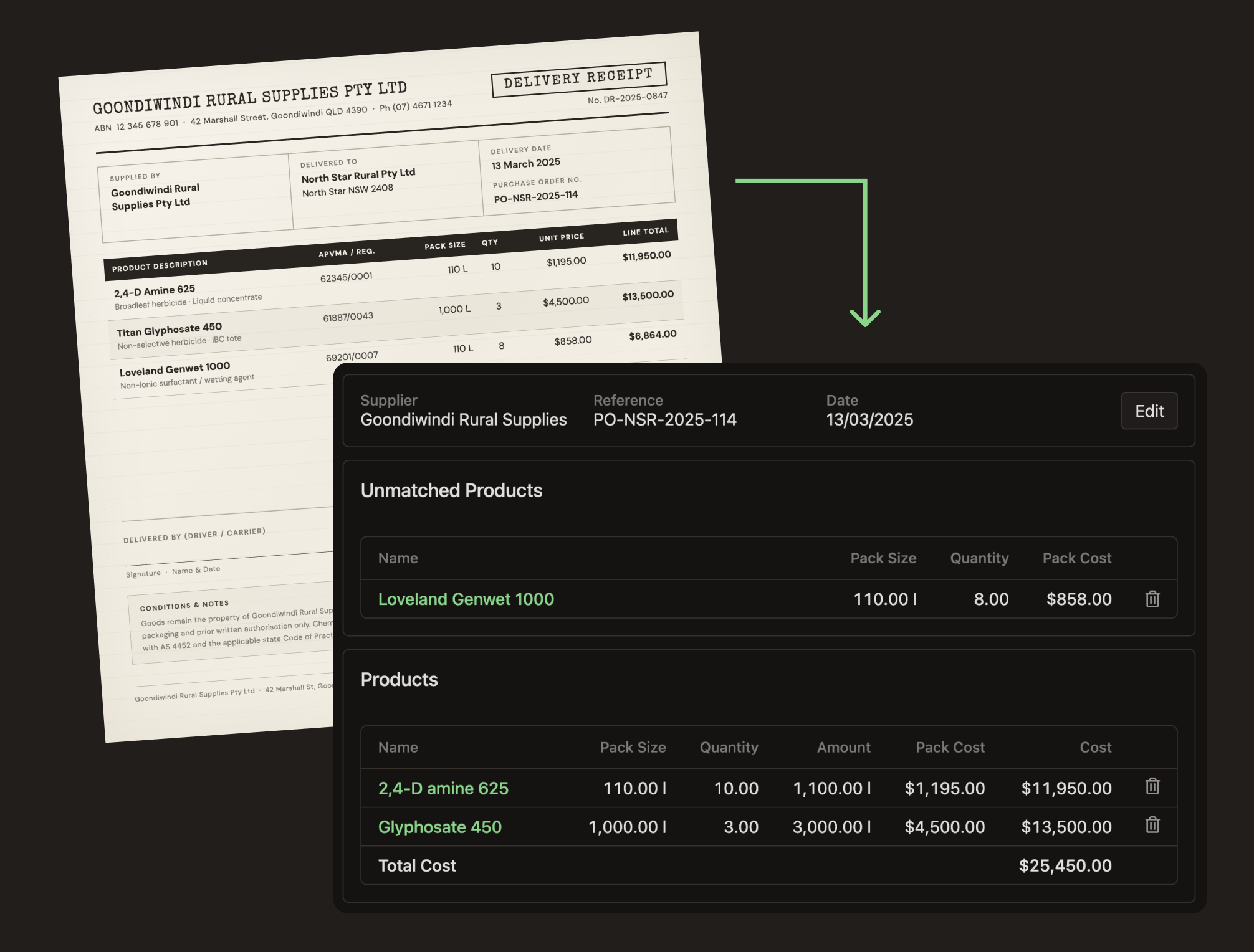
Recording receipts in Shed just got a lot faster. You can now upload a photo or PDF and have Shed automatically fill in the details for you.
How it works
From the Receipts page, click Import Receipt and upload a photo or PDF of your delivery docket or invoice. Shed will read the document and extract:
- Supplier name and received date
- Order or invoice reference
- Product line items, quantities and costs
Where products match what's already in your Shed account, they'll be added to the receipt automatically. Any unmatched products are flagged for you to review before anything is saved to your inventory.
Review before saving
Imported receipts are held in a review state before being committed. This gives you a chance to check the details, confirm any unmatched products and make adjustments before the stock is recorded.
No access? No worries - Use the QR Code!
Field staff or delivery drivers can scan in a receipts using the Storage QR Code - no system access required. All receipts added via the QR code will be flagged as "Under Review" ready for your team to confirm.
If you regularly record receipts from dockets or invoices, this should save you a lot of time. Give it a try next time a delivery comes in.
Written by Brad Crawford - Published 13 March 2026